


Desk Job? Here Are 8 Simple Stretches You Can Do Without Leaving Your Chair
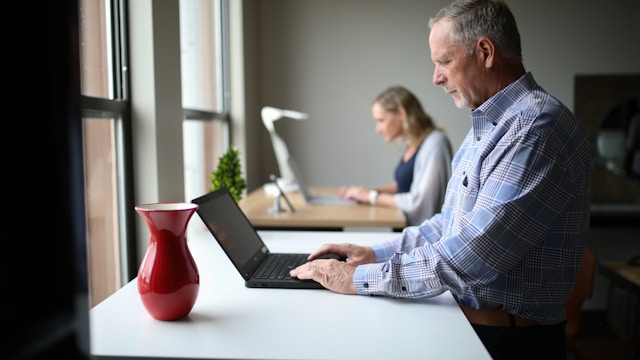
If you work at a desk, your body is absorbing the consequences. Prolonged sitting tightens the hip flexors, weakens the glutes, rounds the shoulders, strains the neck, and compresses the lumbar spine. Over time, this leads to chronic pain, reduced mobility, and increased injury risk.
The antidote doesn't require a gym membership or even standing up. These eight stretches can be done quietly at your desk, in under a minute each, and they target the exact areas that suffer most from sitting. Do them a few times throughout your workday and your body — and probably your mood — will notice the difference.
1. Neck Side Stretch
Targets: Neck, upper trapezius
Sit up tall and drop your right ear toward your right shoulder. Place your right hand gently on top of your head (don't pull) for a mild added stretch. Hold for 20–30 seconds, then switch sides. You should feel a release along the left side of your neck. This one is particularly useful after any extended period of looking at a screen.
2. Shoulder Blade Squeeze
Targets: Upper back, rhomboids, rear deltoids
Sit at the edge of your chair with your feet flat on the floor. Roll your shoulders back and squeeze your shoulder blades together as hard as you comfortably can. Hold for 5 seconds, then release. Repeat 8–10 times. This counteracts the forward rounding that builds up from hours of typing and looking at screens. You may hear a satisfying pop — that's normal.
3. Chest Opener
Targets: Chest, front shoulders, biceps
Clasp your hands behind your back and straighten your arms. Gently lift your hands upward while pushing your chest forward and lifting your chin slightly. Hold for 20–30 seconds. This is the opposite movement of typing and helps counteract the forward-hunching posture that desk work promotes. If clasping your hands behind your back is difficult, hold the back of your chair with both hands instead.
4. Seated Spinal Twist
Targets: Thoracic spine, obliques, lower back
Sit up straight with both feet flat on the floor. Place your right hand on the back of your chair and your left hand on your right knee. Exhale and gently rotate your torso to the right as far as is comfortable. Hold for 20–30 seconds, then repeat on the other side. Spinal rotation is something most desk workers never do during the workday, and it's one of the most important for long-term back health.
5. Seated Figure-Four Hip Stretch
Targets: Piriformis, glutes, outer hip
Sit near the edge of your chair. Cross your right ankle over your left knee, so your right leg makes a "4" shape. Sit up tall and gently lean forward from your hips (not your waist) until you feel a stretch in your right glute and outer hip. Hold for 30 seconds, then switch sides. Tight hips from prolonged sitting are one of the leading contributors to lower back pain — this stretch addresses it directly.
6. Wrist and Forearm Stretch
Targets: Wrists, forearms, flexor tendons
Extend your right arm in front of you with your palm facing up. Use your left hand to gently pull your fingers down toward the floor. Hold for 15–20 seconds. Then flip your palm to face down and gently pull your fingers back toward your body. Hold again. Repeat on the other side. If you type all day, your forearm flexors are under near-constant strain — this stretch helps prevent conditions like carpal tunnel syndrome and tennis elbow.
7. Seated Cat-Cow
Targets: Entire spine, core, hip flexors
Sit at the edge of your chair with your hands on your knees. As you inhale, arch your back, push your chest forward, and lift your chin — this is the "cow" position. As you exhale, round your spine, tuck your chin to your chest, and draw your belly button in — this is "cat." Move slowly between these two positions for 8–10 breaths. This mobilizes the entire spine and feels particularly good after long periods of static sitting.
8. Seated Forward Fold
Targets: Lower back, hamstrings, glutes
Sit with your feet flat on the floor, slightly wider than hip-width apart. Interlace your fingers behind your head or let your arms hang. Hinge forward from your hips and let your torso drop between your knees toward the floor. Let your head hang heavy. Hold for 20–30 seconds. If this causes dizziness, come back up slowly. This stretch decompresses the lumbar spine and releases tension in the hamstrings that builds up from extended sitting.
How to Make This a Habit
The biggest challenge isn't learning these stretches — it's remembering to do them. A few strategies that help:
- Set a recurring alarm on your phone for every 60–90 minutes as a stretch reminder
- Use a habit stack: every time you get up to refill your water or coffee, do two or three stretches first
- Keep this list bookmarked so it's easy to reference
- Do the full set of eight at the beginning and end of your workday as a minimum baseline
Beyond Stretching: Movement Throughout the Day
Stretching helps, but it's most effective as a complement to regular movement — not a replacement for it. Try to stand up and walk for at least a few minutes every hour. Even short movement breaks improve circulation, reduce stiffness, and boost cognitive performance. If you have the option of a standing desk or a walking meeting, use it.
The Long-Term Consequences of Ignoring Desk Posture
Many people write off desk-related aches as minor inconveniences — something to push through or address "later." But the cumulative effect of years of poor posture and prolonged sitting is significant. Chronic lower back pain is one of the leading causes of disability worldwide, and much of it is directly attributable to sedentary work habits. Neck pain, tension headaches, carpal tunnel syndrome, and thoracic outlet syndrome are all conditions commonly linked to desk work and poor ergonomics.
The encouraging news is that the body is remarkably responsive to consistent, gentle intervention. People who begin a regular stretching and movement routine — even a modest one — typically notice improvements in pain, mobility, and energy within just a few weeks. The key is consistency: a little movement done every day outperforms an occasional intense stretch session by a wide margin.
Ergonomics: Setting Up Your Workspace to Work With Your Body
Stretching becomes even more effective when your workstation is set up properly. A few adjustments that make a significant difference:
- Monitor height: Your screen should be at eye level so your neck stays neutral — not tilted up or down. If you're using a laptop, consider a separate monitor or a laptop stand with an external keyboard.
- Chair height: Your feet should be flat on the floor and your knees at roughly a 90-degree angle. If your chair is too high, use a footrest.
- Keyboard and mouse position: Your elbows should be close to your body and bent at roughly 90 degrees. Your wrists should be straight, not bent upward while typing.
- Sitting posture: Sit with your back supported, shoulders relaxed and pulled back slightly, and your hips slightly higher than your knees if possible. Avoid crossing your legs for extended periods, as it rotates the pelvis and stresses the lumbar spine.
No amount of stretching fully compensates for a poorly set up workstation. Getting the ergonomics right is the foundation that everything else builds on.
The Bottom Line
Your body was not designed to sit in one position for eight hours a day. But a few intentional minutes of movement throughout the workday can offset a significant amount of the damage that desk work does over time. No gym required — just the willingness to take 60 seconds every hour and move.
For more health and wellness resources, visit Vital 110 — a healthcare initiative from Health Compass Inc. dedicated to making everyday health more accessible.
‹ Back
Recent Posts
-

Your Fall Preventive Care Checklist: Screenings and Checkups Not to Skip
September 14, 2026
-

Building a Stronger Immune System Before Cold and Flu Season
September 7, 2026
-

-

Staying Active in the Heat: Joint-Friendly Ways to Keep Moving
August 24, 2026
-